 TIANQIU
CMOS & Motherboard Battery Replacement
Over 90% of motherboards take a CR2032 3V coin cell.
What Is a CMOS Battery?
The CMOS cell powers the small memory that stores your BIOS settings and real-time clock when the PC is switched off.
Keeps BIOS Settings
Boot order, hardware configuration and other settings are held in volatile memory that the CMOS cell keeps powered.
Keeps the System Clock
Without it the clock resets and your OS logs the wrong time every time the power is lost.
| Symptom | What it means | What to do |
|---|---|---|
| Clock resets to a default date (often 2000 or 2010) whenever the PC is unplugged | The RTC lost its standby supply — the cell is flat or the holder contact is oxidised | Measure the cell; replace if below 2.5 V |
| “CMOS checksum error” or “CMOS Time and Date Not Set” at boot | Firmware settings did not survive the power-off — the standby supply failed | Replace the cell and reset date/time in BIOS |
| Boot order, overclock profile or Secure Boot keys revert to default | The battery-backed part of the firmware state was lost | Replace the cell, then re-apply the settings |
| Settings survive a reboot but not a full power cut | The cell still holds some charge but cannot carry the RTC through a mains loss | This is the earliest reliable failure signal — replace now |
What type of battery is a CMOS battery?
A CMOS battery is a primary lithium coin cell — almost always a CR2032: 3V nominal, 20.0 × 3.2 mm, 225 mAh, rated −30 to +85 °C. The type follows the chemistry, lithium manganese dioxide (Li-MnO₂), not the PC brand, so the same cell fits Dell, HP, ASUS, Lenovo and MSI boards. A rechargeable ML2032 is a different type in the same shell.
| CR2032 — the standard CMOS type | Declared value |
|---|---|
| Chemistry | Lithium manganese dioxide (Li-MnO₂) |
| Nominal voltage | 3 V |
| Nominal capacity | 225 mAh |
| Diameter × height | 20.0 × 3.2 mm |
| Weight | 2.8 g |
| Operating temperature | −30 to +85 °C |
Full specification and equivalents: CR2032 battery page · how LR, CR and SR numbering works
Which CMOS Battery Should You Buy?
Over 90% of motherboards use a CR2032 3V lithium coin cell — it is the correct and safest default.
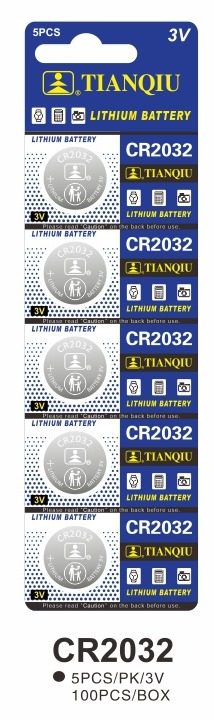
CR2032 — Recommended Motherboard Cell
Capacity: 190mAh ~ 255mAh · Equivalent to CR2032 = 5004LC = ECR2032 = KCR2032 = DL2032.
Specs for reference — final values per OEM project.
Is a CMOS battery always a CR2032?
Almost always on a desktop board — but not on every machine, and one of the exceptions is a genuine safety issue rather than a fitting problem. Check which row your machine falls into before ordering.
| Machine | Cell | Form it comes in | What you need to know |
|---|---|---|---|
| Desktop PC (ATX / micro-ATX / mini-ITX) | CR2032 | Coin cell in a metal clip or plastic socket on the board | The common case: 20 × 3.2 mm, 3V, primary lithium. Replaceable by hand. |
| Thin laptop, tablet or small-form-factor board | CR2025 | Coin cell, 20 × 2.5 mm | Same 20 mm diameter, 0.7 mm thinner. A CR2032 will not fit the holder — check the marking before ordering. |
| Most laptops and all-in-ones (RTC battery on a lead) | CR2032 in a wired pack | Coin cell heat-shrunk in plastic with a two-wire lead and a plug | Order the complete pack, not a loose cell. A bare coin cell cannot be substituted for a wired pack — the board has no holder to put it in. |
| Industrial, embedded and some server boards (trickle-charged) | ML2032 — rechargeable | Coin cell, identical 20 × 3.2 mm footprint | ⚠️ The board charges this cell. Fitting a CR2032 here is dangerous — see the ML2032 section below. |
CMOS & motherboard coin cell comparison: CR2032 vs CR2025 vs CR2016 vs ML2032
Every cell below shares the 20 mm diameter except the CR1220 and the LR44, and this table is where the differences that decide fit and safety sit side by side: a CR2032 is 20 × 3.2 mm at 3V and is a primary cell; a CR2025 is 0.7 mm thinner at the same diameter; a CR2016 is 1.6 mm thinner again; an ML2032 is the same 20.0 × 3.2 mm at 3V but rechargeable and rated 65 mAh against the CR2032's declared 190–255 mAh; the CR1220 is a smaller 12.5 × 2.0 mm cell; and the LR44 is a different chemistry and size entirely, at 11.6 × 5.4 mm and 1.5V.
| Model | Diameter × thickness | Nominal voltage | Nominal capacity (declared) | Rechargeable? | Typical use |
|---|---|---|---|---|---|
| CR2032 | 20mm × 3.2mm | 3.0V | 190mAh ~ 255mAh | No — primary cell | Motherboard CMOS, car key fobs, electronic scales, smart locks |
| CR2025 | 20mm × 2.5mm | 3.0V | 130mAh ~ 185mAh | No — primary cell | Thin laptops, small-form-factor boards, car key fobs, remotes |
| CR2016 | 20mm × 1.6mm | 3.0V | 75mAh ~ 100mAh | No — primary cell | Very thin boards/slim remotes and car key fobs |
| ML2032 | 20.0 × 3.2 mm | 3 V | 65 mAh | Yes — designed to be trickle-charged | Industrial, embedded and some server boards that charge the cell |
| CR1220 | 12.5mm × 2.0mm | 3.0V | 38mAh (0.114Wh) | No — primary cell | Compact boards and CMOS on small devices, remotes |
| LR44 | 11.6mm × 5.4mm | 1.5V | 118mAh | No — primary cell | Calculators, toys, watches, laser pointers, electronic scales |
src/data/batteries.js — CR2032 lines 5–14, CR2025 302–310, CR2016 795–803, CR1220 977–985, LR44 158–166), and each model's full specification sits on its own page linked from all button cells. The ML2032 row is the Maxell ML2032 datasheet figures carried in src/data/cmos_extra.js (lines 53–61): 3 V, 65 mAh, 20.0 × 3.2 mm, rechargeable at 2 mA or lower. A capacity figure only means something with the load and cut-off printed beside it, so treat these as declared nominal values and request the data sheet of the exact model before quoting one onwards.batteries.js line 13), while Panasonic's product page states a single 225 mAh nominal — that is the figure used in the CR2032 vs ML2032 table further down. If you need one number for a specification, tell us the load and the cut-off and we will state the capacity for that condition rather than guess a figure we cannot put a source against.CR2032 or ML2032 — why you cannot swap them
These two cells are the same size, the same voltage and the same shape. They are not interchangeable, and mixing them up is the one mistake on this page that can damage a board or start a fire.
| Specification | CR2032 — primary, do not charge | ML2032 — rechargeable |
|---|---|---|
| Chemistry | Lithium manganese dioxide (Li-MnO₂) | Li-Al alloy / manganese dioxide, organic electrolyte |
| Rechargeable | No — primary cell, must never be charged | Yes — designed to be trickle-charged by the board |
| Nominal voltage | 3 V | 3 V |
| Nominal capacity | 225 mAh | 65 mAh |
| Diameter × height | 20.0 × 3.2 mm | 20.0 × 3.2 mm |
| Weight | 2.8 g | 3.0 g |
| Operating temperature | −30 to +85 °C | −20 to +60 °C |
| Max charge current | N/A — do not charge | 2 mA or lower |
When you must never swap one CMOS cell for another
Three situations are not fitting questions but hard stops: the cell you fit has to match the cell the board was built around on chemistry and on height. Getting either wrong ranges from a device that works once and then dies, to a charged primary cell that can leak, overheat or catch fire.
1. CR2032 → ML2032 (or ML2032 → CR2032): never, in either direction
The two cells are the same 20.0 × 3.2 mm and both are 3V, which is exactly why they get confused — but the ML2032 is rechargeable and the board is wired to trickle-charge it, while the CR2032 is a primary cell that must never be charged.
Maxell's ML2032 datasheet states that fitting a primary battery in place of a rechargeable one can generate gas or short-circuit the primary battery by charging it, which could lead to distortion, leakage, overheating, explosion or fire. So fit an ML2032 where the board holds an ML2032, and never charge a CR2032. Source: Maxell ML2032 datasheet, quoted in full in the CR2032 vs ML2032 table above (src/data/cmos_extra.js lines 66–68).
2. CR2032 ≠ CR2025 ≠ CR2016: same 20 mm diameter, different thickness — do not “make it fit”
All three are 20 mm across and 3V, and they differ only in height: the CR2032 is 3.2 mm, the CR2025 is 2.5 mm (0.7 mm thinner) and the CR2016 is 1.6 mm (1.6 mm thinner than the CR2032). A thinner cell of the same diameter drops into many holders, but the contact pressure comes from the holder's spring — so a too-thin cell touches intermittently, which shows up as a device that works when tapped and fails when it is set down. A thicker cell will not let the holder or the compartment close at all.
If the device or the holder specifies CR2032, fit CR2032. Source: our own model data, src/data/batteries.js — the contact-pressure note at line 44, the 0.7 mm and 1.6 mm thickness differences at lines 46–47, and the reverse direction at lines 827–828.
3. Does the board need a rechargeable cell? Read the board, not the PC brand
What decides whether a board needs a rechargeable cell is the charging circuit on that board, not the make of the PC. The way to tell is to read the marking on the cell you are removing and the silkscreen on the board next to the holder: if either says ML2032 — or the old cell is marked ML — the board trickle-charges its cell and must be given a rechargeable ML2032. Consumer desktop and laptop boards almost never do this; industrial, embedded and some server boards do.
If no marking is readable, do not guess: check the board's service manual, or fit what the old cell already was. Where a value cannot be sourced, we say so and ask you to request the specification rather than print a figure we cannot stand behind. Source: the machine-to-cell mapping and the “which boards trickle-charge” statement are in src/data/cmos_extra.js (lines 17–42, the cmosCellTypes table).
How do I test a CMOS battery properly?
Age and a clock that is a few seconds out tell you nothing. The reliable test is whether the clock and your settings survive a complete loss of mains power — here is the sequence.
Note the current date and time, and write down anything you changed in BIOS/UEFI (boot order, XMP/DOCP profile, Secure Boot state).
Shut the PC down normally, then disconnect the mains lead. On a laptop, disconnect the charger — do not open the machine unless the service manual allows battery access.
Leave it without any external power for ten minutes or more.
Reconnect and boot straight into BIOS/UEFI setup, then compare the clock and the settings you wrote down.
If the clock has drifted or reset, or your settings are gone, the standby cell is the likely cause — replace it.
| Multimeter reading (open circuit, CR2032) | What it tells you |
|---|---|
| 3.0 – 3.3 V | Healthy — the cell is fine, look elsewhere |
| 2.7 – 3.0 V | Ageing — expect failure soon, replace at the next service |
| Below 2.5 V | Replace — the RTC cannot be carried through a power cut |
| Above 3.6 V | Check the meter and the cell marking — this is not a standard CR2032 reading |
Which CMOS battery does my PC brand use?
Jump to the CMOS battery guide for your PC brand.
Dell motherboards use a CR2032 CMOS cell.
Dell CMOS battery guide →HP motherboards use a CR2032 CMOS cell.
HP CMOS battery guide →ASUS motherboards use a CR2032 CMOS cell.
ASUS CMOS battery guide →Lenovo motherboards use a CR2032 CMOS cell.
Lenovo CMOS battery guide →MSI motherboards use a CR2032 CMOS cell.
MSI CMOS battery guide →| PC brand | CMOS cell | What changes between brands | Guide |
|---|---|---|---|
| Dell | CR2032 | Nothing about the cell — the same CR2032 fits every one of these brands. Only the holder location and the disassembly sequence differ. | Dell guide → |
| HP | CR2032 | Nothing about the cell — the same CR2032 fits every one of these brands. Only the holder location and the disassembly sequence differ. | HP guide → |
| ASUS | CR2032 | Nothing about the cell — the same CR2032 fits every one of these brands. Only the holder location and the disassembly sequence differ. | ASUS guide → |
| Lenovo | CR2032 | Nothing about the cell — the same CR2032 fits every one of these brands. Only the holder location and the disassembly sequence differ. | Lenovo guide → |
| MSI | CR2032 | Nothing about the cell — the same CR2032 fits every one of these brands. Only the holder location and the disassembly sequence differ. | MSI guide → |
Where is the CMOS battery on my motherboard?
Desktop PC
Look for a small coin-cell holder on the motherboard, near the chipset or the battery slot, usually labelled CR2032.
Laptop
Often beneath the bottom cover or inside a small service compartment, sometimes on a short connector rather than a clip holder.
How to Replace a CMOS Battery
Power down & unplug
Shut down the PC, unplug power and open the case. Ground yourself first.
Locate the cell
Find the coin-cell holder on the motherboard, near the chipset or battery slot.
Release the clip
Push the metal clip and lift out the old CR2032 cell.
Insert the new cell
Fit a fresh CR2032 with the + side up and re-seat the clip.
Boot & reset clock
Reassemble, boot the PC and set the correct date and time in the BIOS.
What do buyers ask about CMOS batteries?
What type of battery is a CMOS battery?
What size is a CMOS battery?
How do I replace a CMOS battery?
Do Dell, HP, ASUS, Lenovo and MSI use the same CMOS battery?
What happens when the CMOS battery dies?
Where is the CMOS battery on my motherboard?
How often should I replace a CMOS battery?
Can I replace an ML2032 with a CR2032?
Is every CMOS battery a CR2032?
How do I test a CMOS battery properly?
My laptop CMOS battery is on a cable — what do I buy?
Are CR2032, CR2025 and CR2016 interchangeable?
How do I know whether my motherboard needs a rechargeable ML2032?
Which related battery guides should I read?
CR2032 Battery
The standard 3V lithium cell for motherboards and CMOS.
View CR2032 →Key Fob Battery
CR2032/CR2025/CR2450 coin cells for car key fobs.
Key fob guide →Watch Battery
Silver-oxide watch battery replacement guide.
Watch guide →All Button Cells
Browse every coin cell model from the TIANQIU factory.
View all →How do I buy CMOS CR2032 batteries in bulk?
Factory-direct CR2032 coin cells for motherboards, OEM & PC brand programs. Get a quote today.