 TIANQIU
ASUS Motherboard CMOS Battery Replacement
ASUS motherboards use a CR2032 CMOS battery. We supply the correct CMOS battery factory direct, with bulk and custom label for PC brands.
Which CMOS battery does a ASUS use?
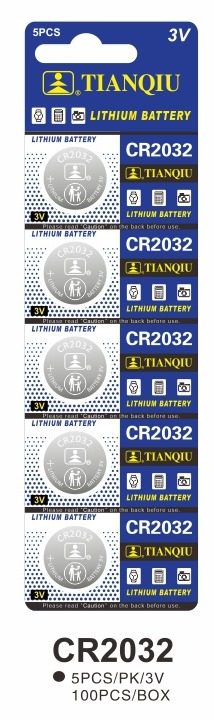
CR2032 Specifications
| Model | CR2032 |
|---|---|
| Chemistry | Lithium |
| Voltage | 3.0V |
| Diameter | 20mm |
| Thickness | 3.2mm |
| Capacity | 190mAh ~ 255mAh |
| Equivalent to | CR2032 = 5004LC = ECR2032 = KCR2032 = DL2032 |
Capacity: 190mAh ~ 255mAh · Equivalent to CR2032 = 5004LC = ECR2032 = KCR2032 = DL2032. See the full cross-reference table.
Specs for reference — final values per OEM project.
Will a CR2025 or CR2016 fit a ASUS CR2032 holder?
All three cells share the same 20 mm diameter and the same 3V nominal voltage — only the thickness changes. A holder is a fixed height, so a cell that is too thin can sit loose and make intermittent contact.
| Cell | Diameter | Thickness | Capacity | Same 20 mm seat |
|---|---|---|---|---|
| CR2032 | 20mm | 3.2mm | 190mAh ~ 255mAh | Yes — 3.2 mm, the standard seat height |
| CR2025 | 20mm | 2.5mm | 130mAh ~ 185mAh | Same 20 mm diameter, but only 2.5mm thick — check the holder height |
| CR2016 | 20mm | 1.6mm | 75mAh ~ 100mAh | Same 20 mm diameter, but only 1.6mm thick — check the holder height |
Every cell above is 20 mm across, so the diameter does not tell them apart — the CR2025 is 0.7 mm thinner than the CR2032, and the CR2016 is thinner again. Because the seat is a fixed height, a thinner cell may not be gripped firmly and contact can be unreliable. Match the cell to the seat your board actually has: read the marking on the old cell and the silkscreen beside the holder, then confirm the size before ordering.
More depth: CR2032 vs CR2025 vs CR2016 · choosing a coin cell for your PCB · cross-reference tool · CR2032 specs & bulk · CR2025 · CR2016 · CR2025 data sheet · full cross-reference table.
How to Replace a ASUS CMOS Battery
- Turn off the PC and unplug the mains power
- Ground yourself, then open the case to reach the motherboard
- Locate the coin-cell CMOS battery near the chipset or battery slot
- Release the metal clip and remove the old CR2032 cell
- Insert a fresh CR2032 with the + side up and re-seat the clip
- Boot the PC and reset the date and time in the BIOS
Which CMOS battery does my PC brand use?
Every brand on this list takes the same cell: a CR2032. The part number does not change — only where the holder sits and how you get to it. So if you service a mixed fleet, one box of CR2032 covers all of them; what you need per model is the access route below.
| PC brand | CMOS cell | Access route covered in the guide | Open |
|---|---|---|---|
| Dell | CR2032 | Holder location and disassembly sequence for Dell boards — the cell itself is unchanged. | Dell guide → |
| HP | CR2032 | Holder location and disassembly sequence for HP boards — the cell itself is unchanged. | HP guide → |
| ASUS <span style="font-size:12px;color:var(--ink-3);">(this page)</span> | CR2032 | Holder location and disassembly sequence for ASUS boards — the cell itself is unchanged. | you are here |
| Lenovo | CR2032 | Holder location and disassembly sequence for Lenovo boards — the cell itself is unchanged. | Lenovo guide → |
| MSI | CR2032 | Holder location and disassembly sequence for MSI boards — the cell itself is unchanged. | MSI guide → |
What do buyers ask about ASUS CMOS batteries?
What battery does a ASUS motherboard use?
How do I replace the CMOS battery on a ASUS PC?
Why does my ASUS PC reset the time?
How do I know if my ASUS board takes a CR2032 or a thinner cell?
Where is the CMOS battery on an ASUS motherboard?
My ASUS laptop CMOS battery is on a cable — what do I buy?
Which ASUS BIOS settings should I record before replacing the CMOS battery?
My ASUS board is marked ML2032 — can I fit a CR2032?
How do I buy CR2032 CMOS batteries in bulk?
Factory-direct CR2032 coin cells for motherboards, OEM & PC brand programs. Get a quote today.