 TIANQIU
HP Motherboard CMOS Battery Replacement
HP motherboards use a CR2032 CMOS battery. We supply the correct CMOS battery factory direct, with bulk and custom label for PC brands.
Which CMOS battery does a HP use?
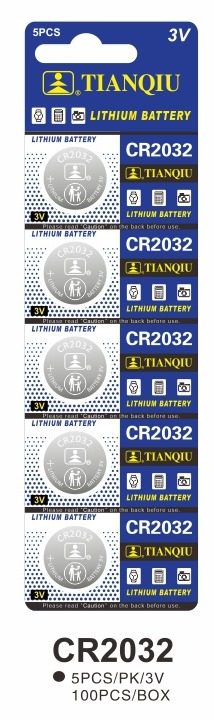
CR2032 Specifications
| Model | CR2032 |
|---|---|
| Chemistry | Lithium |
| Voltage | 3.0V |
| Diameter | 20mm |
| Thickness | 3.2mm |
| Capacity | 190mAh ~ 255mAh |
| Equivalent to | CR2032 = 5004LC = ECR2032 = KCR2032 = DL2032 |
Capacity: 190mAh ~ 255mAh · Equivalent to CR2032 = 5004LC = ECR2032 = KCR2032 = DL2032. See the full cross-reference table.
Specs for reference — final values per OEM project.
Will a CR2025 or CR2016 fit a HP CR2032 holder?
All three cells share the same 20 mm diameter and the same 3V nominal voltage — only the thickness changes. A holder is a fixed height, so a cell that is too thin can sit loose and make intermittent contact.
| Cell | Diameter | Thickness | Capacity | Same 20 mm seat |
|---|---|---|---|---|
| CR2032 | 20mm | 3.2mm | 190mAh ~ 255mAh | Yes — 3.2 mm, the standard seat height |
| CR2025 | 20mm | 2.5mm | 130mAh ~ 185mAh | Same 20 mm diameter, but only 2.5mm thick — check the holder height |
| CR2016 | 20mm | 1.6mm | 75mAh ~ 100mAh | Same 20 mm diameter, but only 1.6mm thick — check the holder height |
Every cell above is 20 mm across, so the diameter does not tell them apart — the CR2025 is 0.7 mm thinner than the CR2032, and the CR2016 is thinner again. Because the seat is a fixed height, a thinner cell may not be gripped firmly and contact can be unreliable. Match the cell to the seat your board actually has: read the marking on the old cell and the silkscreen beside the holder, then confirm the size before ordering.
More depth: CR2032 vs CR2025 vs CR2016 · choosing a coin cell for your PCB · cross-reference tool · CR2032 specs & bulk · CR2025 · CR2016 · CR2025 data sheet · full cross-reference table.
How to Replace a HP CMOS Battery
- Turn off the PC and unplug the mains power
- Ground yourself, then open the case to reach the motherboard
- Locate the coin-cell CMOS battery near the chipset or battery slot
- Release the metal clip and remove the old CR2032 cell
- Insert a fresh CR2032 with the + side up and re-seat the clip
- Boot the PC and reset the date and time in the BIOS
Which CMOS battery does my PC brand use?
Every brand on this list takes the same cell: a CR2032. The part number does not change — only where the holder sits and how you get to it. So if you service a mixed fleet, one box of CR2032 covers all of them; what you need per model is the access route below.
| PC brand | CMOS cell | Access route covered in the guide | Open |
|---|---|---|---|
| Dell | CR2032 | Holder location and disassembly sequence for Dell boards — the cell itself is unchanged. | Dell guide → |
| HP <span style="font-size:12px;color:var(--ink-3);">(this page)</span> | CR2032 | Holder location and disassembly sequence for HP boards — the cell itself is unchanged. | you are here |
| ASUS | CR2032 | Holder location and disassembly sequence for ASUS boards — the cell itself is unchanged. | ASUS guide → |
| Lenovo | CR2032 | Holder location and disassembly sequence for Lenovo boards — the cell itself is unchanged. | Lenovo guide → |
| MSI | CR2032 | Holder location and disassembly sequence for MSI boards — the cell itself is unchanged. | MSI guide → |
What do buyers ask about HP CMOS batteries?
What battery does a HP motherboard use?
How do I replace the CMOS battery on a HP PC?
Why does my HP PC reset the time?
Which CMOS battery does an HP motherboard use?
Does my HP laptop use the same CMOS battery as an HP desktop?
Why does my HP PC ask for the date and time on every boot?
How do I test the CMOS battery on an HP PC before replacing it?
My HP board is marked ML2032 — can I fit a CR2032?
How do I buy CR2032 CMOS batteries in bulk?
Factory-direct CR2032 coin cells for motherboards, OEM & PC brand programs. Get a quote today.