 TIANQIU
A leaking cell is not usually a broken one — it is a cell that was pushed past its seal. Over-discharge, heat, a cell fitted the wrong way round or a mixed set in one holder all build pressure inside the can, and the electrolyte escapes where the cell is weakest. Here is what comes out, how to clean it, and how to stop it happening again.
Why do batteries leak?
A cell leaks when internal pressure builds up faster than its seal can hold. Over-discharge, heat, a reverse current from a mixed or reversed cell, or damage to the can all push the electrolyte past the crimped seal. The chemistry inside then escapes, and the pattern of the leak tells you which of those happened.
| What happened | What is going on inside the cell | The habit that avoids it |
|---|---|---|
| Spent cell left in a device | Over-discharge: the cell is driven past its cut-off and vents at the seal | Take discharged cells out of the compartment |
| Heat and humidity | Internal pressure rises and seal materials age faster | Store cool, dry and out of direct sun |
| Mixed brands, chemistries or old with new | The stronger cell drives current backwards through the weaker one | Fit a matched set from the same pack |
| One cell fitted backwards | Reverse current through the whole string, not just that cell | Check the polarity marking every time |
| A single-use cell put in a charger | Gas generation, leakage or rupture | Charge only cells sold as rechargeable |
| Loose cells touching keys or coins | An external short across the terminals, heating them | Keep cells in their retail pack |
Each row is a use or storage pattern rather than a manufacturing defect. Our EU battery information page carries the same rules for every non-rechargeable cell we ship: exhausted cells should be removed from the compartment to prevent over-discharge, which causes leakage and damage to the device.
The direction of the damage matters. A leaking cell usually fails at the seal or the terminal, and the electrolyte wicks along the contacts, into the battery holder and — if it is left there — onto the circuit board. That is why the leak is worth treating the day you find it, not the week you next open the device.
What is the white powder that leaks out of a battery?
It is potassium carbonate. An alkaline cell’s electrolyte is potassium hydroxide, and when it escapes at the seal it reacts with carbon dioxide in the air and dries into the white, chalky or crystalline crust. Consumer Reports describes the result as “essentially like rock salt” — and it keeps eating the metal contacts underneath.
Three practical points about that crust:
- It is not ash or mould. White or grey powder sitting in a battery compartment, a remote, a torch, a clock or a toy is almost always electrolyte residue that has dried, sometimes mixed with zinc or manganese compounds from the cell.
- It is an irritant, not a dust to brush off with bare hands. Potassium hydroxide is a strong alkali: it can irritate skin and eyes, so gloves and eye protection come before the toothbrush.
- Colour alone does not identify the chemistry. The same white deposit can come from different cells, and a crust that looks dry can still hold enough alkali to keep corroding a terminal. Check the marking on the cell and treat it as electrolyte.
Is battery leakage the same as battery acid?
No — and the difference decides how you clean it. “Acid” covers only some chemistries: zinc-carbon cells use a mildly acidic electrolyte and lead-acid car batteries use sulfuric acid. Alkaline AA, AAA, C, D and 9 V block cells are the opposite: a strong alkali. Treating one with the wrong neutraliser is how a small leak becomes a damaged device.
| Cell type | Electrolyte | What a leak tends to look like | Clean-up |
|---|---|---|---|
| Alkaline — LR6, LR03, LR14, LR20, 6LR61 | Potassium hydroxide, a strong alkali | White, chalky or crystalline residue on the contacts | Diluted vinegar or lemon juice, 50/50 with water, on a swab |
| Zinc-carbon — R6P, R03P, R20P | Zinc chloride or ammonium chloride, mildly acidic | Crust and damp staining at the terminals | Remove the cell, wipe dry, do not reuse the cell |
| Lithium coin — CR2032 and family | Organic electrolyte in a sealed can | Rare; a damaged cell is a hazard, not a spill | Do not open, puncture or clean — isolate and recycle |
| Lead-acid car battery (not made here) | Sulfuric acid | Wet, sticky terminal corrosion | Different procedure again — baking soda, not vinegar |
The chemistry has to be identified before anything is applied — the marking on the cell is what tells you which clean-up applies.
The same distinction runs through the whole alkaline range: an LR6 (AA) and an LR03 (AAA) hold the same electrolyte at the same 1.5 V nominal, so a leak from either is handled the same way, while a 3.0 V CR2032 in an adjacent compartment is a different problem entirely. If you are unsure which cell you are holding, our cross-reference tool maps a marking to its equivalents — and the wider comparison of the three chemistries we manufacture is in our alkaline, zinc-carbon and lithium guide.
What makes a cell leak inside a device?
Four patterns cover most cases: a spent cell left in a dead device, heat, an unbalanced set, and a cell that should never have been in the holder. All four are avoidable, and none of them is a brand problem — they are use and storage problems.
- A device that has stopped working but was not emptied. This is the most common cause by a wide margin. The cell keeps discharging past the point where the device dies, and a fully discharged alkaline cell is the one most likely to vent at the seal. Our EU battery information states the rule plainly: exhausted batteries should be removed from the compartment to prevent over-discharge, which causes leakage and damage to the device.
- Heat. A drawer under a window, a car in summer and a warm stockroom all raise the pressure inside the cell and age the seal. Long storage in heat is the second cause we see cited most often, and it is why our retail guidance pairs leak-resistant construction with honest shelf-life data rather than a marketing claim — see how the home appliance channel buys cells.
- A mismatched set. Cells of different brands, chemistries or ages in one holder do not share the load evenly. The stronger cell drives current backwards through the weaker one, which is exactly the reverse-current condition that vents a seal. Fit cells from the same pack, of the same type, at the same time.
- A cell in backwards, or a single-use cell in a charger. Reversing one cell in a series string pushes the others through it; putting a non-rechargeable cell on charge generates gas inside a can that cannot vent it safely. Both are covered by the same warning on our compliance pages: leakage or rupture.
How do you clean up after an alkaline battery leaks?
Work in a ventilated area, wear household gloves and eye protection, and take the leaking cell out before anything else. Duracell’s published guidance is a dry toothbrush or cotton swab to lift the residue, then a 50/50 mix of diluted vinegar or lemon juice and water on the contacts — a mild acid that neutralises the alkali.
The order that keeps a small spill small:
- Disconnect and empty. Switch the device off, unplug it, and take every cell out — not just the leaking one.
- Remove the leaking cell gently. If it is stuck, do not lever it with a metal tool, crush it or puncture it. Work around it and take it out by hand.
- Brush away loose crust first. A dry toothbrush or a cotton swab, with the device oriented so debris falls away from the electronics rather than deeper inside it.
- Dab, do not pour. Moisten a fresh swab with the diluted vinegar or lemon-juice mix and touch it to the affected contacts and crust. A little fizzing is the reaction working.
- Wipe and dry completely. A clean dry cloth or paper towel, then let the compartment air-dry fully before it sees a new cell. Fitting cells into a damp compartment is how corrosion starts all over again.
- Bin the leaked cell separately. Keep it away from other cells and from metal, and hand it in line with your local collection rules — our guide to disposing of batteries covers the taping and bagging that stops a spent cell shorting in transit.
- Treat any residue on skin or eyes immediately. Flush with plenty of water; for an eye, flush with running water for at least 15 minutes and consult a doctor.
| Do | Don’t |
|---|---|
| Gloves and eye protection first | Handle the crust with bare hands |
| Ventilate the area | Work in a closed room over food or a worktop you eat from |
| Dry-brush the loose crust away | Scrape hard at the cell casing or the contacts |
| Use a small amount of diluted vinegar or lemon juice on a swab | Pour or spray liquid into the compartment |
| Let the device dry completely | Fit new cells while it is still damp |
| Replace the whole set with matched cells | Reuse the leaked cell or pair it with an old one |
When should you not clean it yourself?
Anything that is not a standard alkaline or zinc-carbon spill should be left alone. A swollen, hot, hissing or damaged lithium cell is a fire and chemical hazard rather than a cleaning job, and electrolyte on skin or in an eye is a first-aid problem, not a household one.
- A lithium coin cell that has visibly failed. Swelling, heat, a hiss, a strong solvent-like smell or a torn wrapper all mean stop. Do not open it, puncture it or try to clean it. Move it away from metal, keep it out of the reach of children and take it to a battery collection point.
- Electrolyte with symptoms. The wording we publish on our compliance page is deliberately blunt: avoid contact with skin and eyes, flush with plenty of water and seek medical advice immediately; if materials reach the eyes, flush with running water for at least 15 minutes and consult an ophthalmologist at once.
- Anything swallowed. A coin cell in the throat or stomach is a medical emergency whether or not the cell has leaked. Seek help immediately — do not wait for symptoms.
- Coin cells are a swallowing hazard — keep loose cells, and any device whose compartment a child can open, out of reach.
- A cell that is swollen, hot, hissing or smoking, or labelled lithium, must never be opened, punctured or cleaned.
- Never dispose of batteries in fire — doing so can cause an explosion or release hazardous fumes.
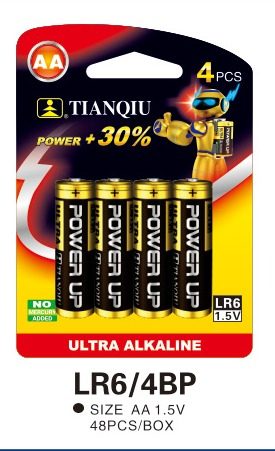
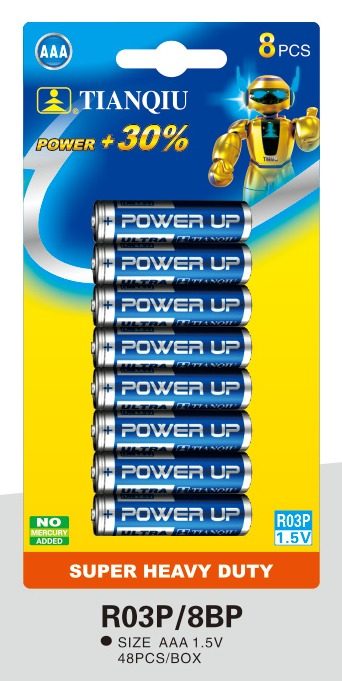
Does a leaking battery mean the cell was faulty?
Usually not. Leakage is a design and storage issue before it is a defect: a correctly made cell will still leak if it is over-discharged or stored hot, which is why the honest answer to “why did my batteries leak?” is a question about how they were used and kept, not about the brand on the wrapper.
That said, seal quality is something a factory controls, and there are two things you can check as a buyer:
- The date code. Every cell we make carries a production date code printed on the negative electrode, which traces the batch it came from. If cells leak inside a sealed, in-date pack, that code is the first thing a supplier should be asked for — the answer starts with the batch, not with the brand.
- The line behind it. Our cells run on our own ISO 9001 lines with a final electrical test and inspection before packing, and for the specific lines covered by UL the safety testing includes leakage and over-temperature checks. What each certificate covers — and for which line — is set out on our battery certifications page.
- The wording in the spec. A leak-resistant claim is only useful if you know what it means: the seal construction of the line, the storage conditions the cells are packed for, and the shelf-life figure the supplier will put in writing. Ask for the data sheet first and compare it with the number you were quoted.
How do you stop batteries leaking in storage?
Take cells out of anything you are not using, keep them in their retail pack away from metal, and store them cool and dry. Rotation matters as much as conditions — stock that sits for years in a warm stockroom will leak before it is ever sold.
- Empty idle devices. A torch, a toy or a remote that goes into a drawer for the season should go in without cells. This is the single habit that prevents most leaks.
- Never carry loose cells in a pocket or purse. The guidance printed on primary-battery packaging is there for a reason: loose cells short against keys and coins.
- Match the set. Same type, same brand, same age, fitted the same way round — and never mix alkaline with zinc-carbon, or a new cell with a used one.
- Store cool and dry. Away from direct sun, radiators and the inside of a car; high humidity ages the seal as surely as heat does.
- Work stock in order. First in, first out, and buy for your turnover. Shelf life and service life are different numbers — our guide to how long batteries last separates the two.
- Check the compartment. A cell that measures fine with no load can still be finished under load; the checks are in our guide to testing a battery.
What does leak resistance mean when you buy OEM cells?
As a buyer, leak resistance is a manufacturing and a logistics question you can put in writing: which seal construction the line uses, how cells are tested before packing, and what storage conditions you will be working to. Ask for the data sheet and the certificate list before the artwork is signed off.
What travels with an OEM programme:
- The cell’s own numbers. Capacity, voltage and dimensions for the exact model, plus the discharge curve where the application needs it — request them per model rather than assuming a size behaves like its neighbours.
- The documents your market asks for. The file set depends on where the product is sold; tell us the market and we confirm the list by model, starting from certifications and the EU battery rules.
- Packaging that protects the seal. Cells leave the plant in a retail pack, not loose in a carton, which is also what stops terminals shorting against each other in transit.
- Minimum order. First orders run from 50 cartons per product line, and mixed-SKU cartons are possible for retail programmes — see wholesale batteries.
We build the cylindrical and button cell lines in our own plant, so a range that mixes AA, AAA, D and coin cells can be quoted as one programme. The process is set out under OEM battery manufacturing.